Disclosure: this page contains our MEXC referral link and code. If you sign up through it we may earn a commission at no extra cost to you. It never changes what we write. How we make money. Not financial advice.
12K4M5HodlDesk is not MEXC, and we don’t host any MEXC app or file. If you sign up with 12K4M5, MEXC may pay us a share of your trading fees (disclosure).
Key takeaways
- Type www.mexc.com/download yourself, then use its store, APK or Windows buttons.
- Developer names differ: “MEXC Fintech, Inc.” in MEXC’s FAQ, Onechain Technology Ltd on the App Store, MEXC Ltd on Google Play.
- MEXC’s download page offers a Windows installer but no macOS button; on a Mac, use www.mexc.com in a browser.
- A new Apple ID region doesn’t make you eligible. Using MEXC from a Prohibited Jurisdiction breaks its Terms.
Where is the safe place to download the MEXC app?
The safe starting point is MEXC’s download page, www.mexc.com/download, typed into the address bar yourself. The MEXC app is the exchange’s official client for iPhone, Android and Windows. MEXC’s counterfeit-app notice names the download page, or a search for “MEXC” on Google Play or the App Store, as the official routes. It also says to “only download the MEXC App through official channels”. MEXC’s anti-impersonation guide warns, “Apps downloaded from phishing websites are often malicious fakes”. In other words, the address bar matters more than the design.
Which developer name should the store listing show?
This is where MEXC’s own pages and the stores disagree, so a name alone isn’t enough. MEXC’s App Download FAQ (dated June 2, 2026) tells you to confirm the developer is listed as “MEXC Fintech, Inc.”. However, when I opened App Store app ID 1605393003 on November 26, 2026, I found Onechain Technology Ltd as developer and seller. Its copyright line, however, read “© 2026 mexc.com”. Similarly, the Google Play listing for com.mexcpro.client named the developer MEXC Ltd and linked to www.mexc.com. In fact, both are the listings MEXC’s own download buttons open. Therefore, the safer check is the route, not the label. Open the store page from MEXC’s download page, then confirm the listing points back to mexc.com before you install.
Watch: MEXC Download: Official App Guide for Mobile & PC (2026) Code 12K4M5
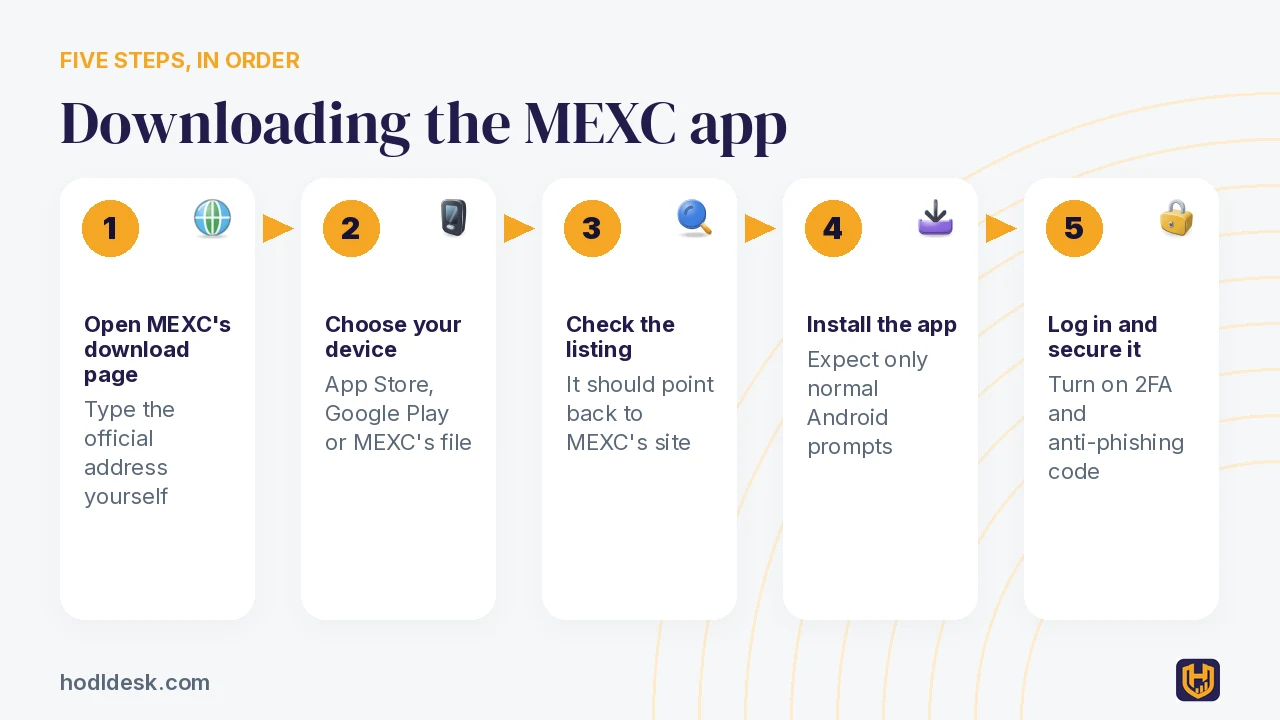
How to download the MEXC app in five steps
- Open MEXC’s download page. Type www.mexc.com/download into your browser yourself, or scan the QR code shown on that page.
- Choose your device. On an iPhone, tap the App Store button. On Android, use Google Play, or MEXC’s own APK button if Play isn’t an option.
- Check the listing before you install. Make sure you got here from MEXC’s download page, then check for the name MEXC: Buy Bitcoin & Crypto and a link back to mexc.com.
- Install and expect only normal prompts. If you used MEXC’s Android file, Android may warn “This file may be harmful”. MEXC calls that standard for downloads started on mexc.com, and the file may come from download.mocortech.com.
- Log in or sign up, then secure the account. Use your existing account or create one, then turn on 2FA and set an anti-phishing code.
Which MEXC download fits your device?
| Device | Official route | What to check |
|---|---|---|
| iPhone or iPad | App Store button on MEXC’s download page | iOS 15.0 or later; the app must appear in your own country’s App Store |
| Android | Google Play, or MEXC’s own APK button | Package com.mexcpro.client on Play; APK only via mexc.com |
| Windows | Windows button on MEXC’s download page | Installer may come from static.mocortech.com; never from other sites |
| iPhone without the store app | Lite App profile from MEXC’s help page | Only if MEXC serves your country; install only from MEXC’s own link |
How do you install the MEXC app on iPhone?
Start at www.mexc.com/download and tap its App Store button. MEXC also lists a store search for “MEXC” as official. Then check the listing and tap Get. MEXC’s download page adds one condition: “Please make sure you are using an Apple ID from a supported region”. We don’t suggest changing your Apple ID region to get the app. Meanwhile, on the listing I opened, the app needed iOS 15.0 or later. By contrast, MEXC’s FAQ still quotes iOS 12.0, so trust the store page. The listing also said, “Eligible products and availability may vary by region”. MEXC’s iPhone guide (dated May 22, 2026) says the app “may not appear in the App Store search results” with an Apple ID from an unsupported region. That said, an Apple ID region is a store setting, not your legal location.
Why can’t you find MEXC in the App Store?
Either the store hides it in your country, or MEXC doesn’t serve your country at all. For example, MEXC’s Learn article on restricted countries (updated October 21, 2026) names eight places where the app isn’t in stores: India, Indonesia, Japan, Malaysia, Mainland China, the Philippines, South Korea and the UK. When I requested the App Store page for each of those storefronts on November 26, 2026, I found each of the eight pages returned a “not found” error (HTTP 404). However, the same listing loaded in storefronts such as the United States and Canada, which MEXC’s User Agreement names as Prohibited Jurisdictions. Therefore, a store listing tells you nothing about eligibility. The User Agreement (last updated November 12, 2026) also bars Singapore, Hong Kong, Kazakhstan, Russia, Belarus, France, the Netherlands and others. If you live in one of them, a new Apple ID or a VPN doesn’t change that. Using MEXC from there breaks its Terms, and MEXC may close the account. Our MEXC sign-up guide lists the barred jurisdictions.
How do you install the MEXC app on Android?
Use Google Play first. Its com.mexcpro.client listing showed “10M+ Downloads”, an Everyone content rating and an update dated November 25, 2026. Alternatively, MEXC offers its own installation file if Play isn’t available to you. An APK is an Android app file you install outside Google Play. MEXC’s APK guide says to “only download the APK file from the official MEXC website”. It adds, “Do not use APK files obtained from third-party websites, as they may have been modified or contain security risks”. The guide also says the download confirmation may show download.mocortech.com. If the Play version conflicts with the APK, it says to uninstall it first; “Your assets and trading data will not be affected”. In addition, it says the file “offers the same features as the App Store and Google Play versions”. Our upcoming APK guide goes deeper.
Is there a MEXC app for Windows or Mac?
Yes for Windows, no for Mac. MEXC’s download page is titled “Download MEXC App for iOS, Android and Windows Devices”, and it carries a Windows button. Notably, that button starts a direct installer, version 2.1.1 according to the file name, served from static.mocortech.com. MEXC’s APK guide says its Android file can come from a mocortech.com address when the download starts on www.mexc.com; we apply the same rule to the Windows file, so start from that button. Never take a “MEXC for PC” file from any other site, however official it looks. We found no macOS button on the page, and the App Store listing showed no Mac version. On a Mac, open www.mexc.com in your browser and bookmark it for next time. MEXC’s FAQ, for instance, says the web version “is accessible via both mobile and desktop browsers”.
What is the MEXC Lite App?
MEXC describes its Lite App as “a simplified version of an application” with fewer features and lighter demands on your phone. On iPhone, MEXC’s guide (dated May 9, 2026) installs it as a configuration profile opened in Safari. Specifically, you approve it under Settings, General, VPN & Device Management. Notably, the profile file sits on download.mocortech.com, the domain MEXC names in its APK guide. However, a configuration profile changes device settings, so install one only from a link on MEXC’s own help page. Never accept a “MEXC profile” sent in a chat. It doesn’t change eligibility: if you live in a Prohibited Jurisdiction, don’t use it. MEXC doesn’t list what it leaves out, so check the features you need before relying on it.
How do you spot a fake MEXC app?
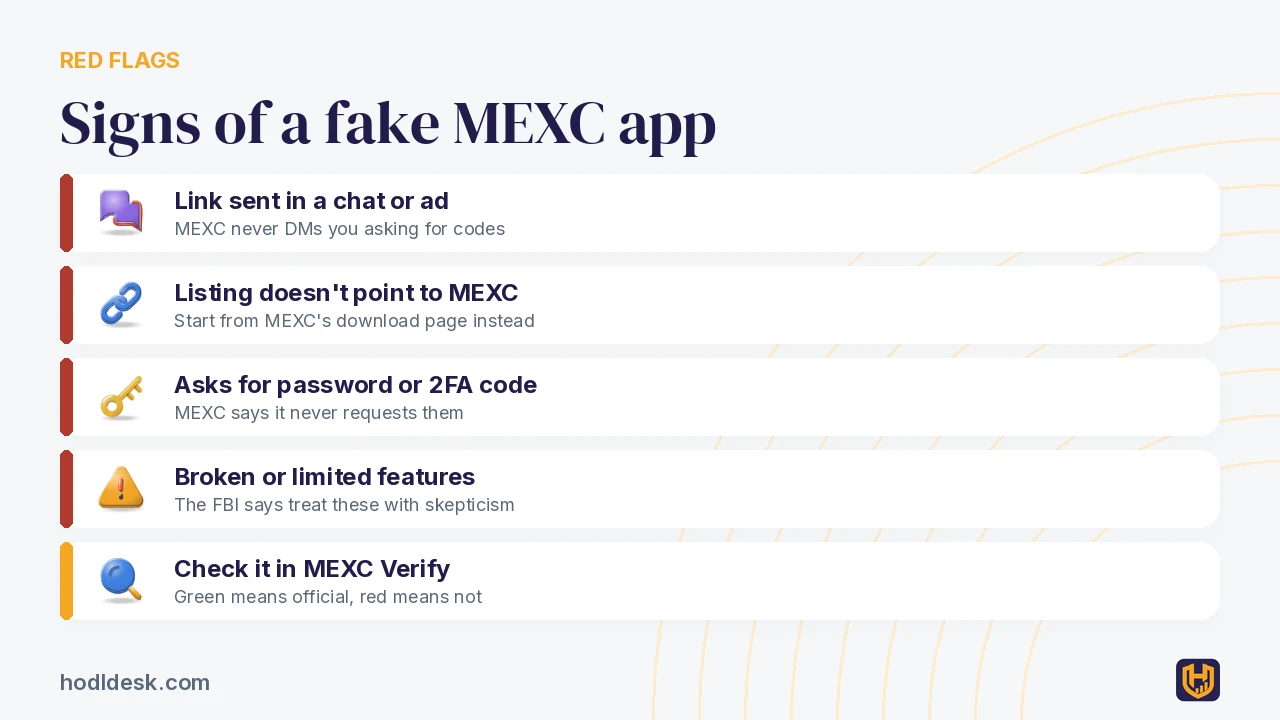
Fake crypto apps can arrive through a person instead of a store search. For instance, the FBI documented this pattern in 2022, when criminals convinced US investors “to download fraudulent mobile apps”. Its advice is to “Be wary of unsolicited requests to download investment applications, especially from individuals you have not met in person or whose identity you have not verified”. Similarly, it says to “Treat applications with limited and/or broken functionality with skepticism”. Watch for a link from a chat or ad, or a store name that doesn’t link to mexc.com. A request for your password or 2FA code is another, and so is pressure to deposit before you can withdraw.
How do you check a MEXC link or contact?
MEXC Verify is MEXC’s own checker for websites, emails, phone numbers and social accounts, and it shows green for official and red for not. In the app, tap More on the homepage, then MEXC Verify under Services. On the website, in contrast, it sits in the homepage footer under Support. MEXC also says it “will never initiate private messages requesting transfers, verification codes, private keys, etc.”. Thus a direct message offering a “new MEXC app” is a red flag.
What should you do first after installing the MEXC app?
Log in or sign up, then lock the account down before any deposit. Existing accounts use the same login, and MEXC’s APK guide confirms no new account is needed. New users can follow our step-by-step sign-up walkthrough. Next, for example, link an authenticator app. An anti-phishing code is a 1-to-6-character code you choose that MEXC shows in all its official emails. An email without it may be phishing. In the app, set it from the profile icon, then Security. After that, find MEXC Verify under More, then Services, so you can check links later. Futures bonuses, for example, come with conditions; our sign-up bonus breakdown explains them.
Is the MEXC app safe to use?
The official app’s safety comes down to where you installed it and, in particular, how far you trust MEXC itself. On November 6, 2026, the US Treasury announced a FinCEN order “effectively cutting off MEXC Global’s access to the U.S. financial system”, taking effect 30 days after Federal Register publication. In contrast, MEXC replied that it is “operating normally”. Our sign-up guide quotes both sides. Therefore, hold on MEXC only what you can afford to lose.
Our verdict on the MEXC app
Download it only through www.mexc.com/download, and check the listing points back to mexc.com. If the store hides it in your country, step back, or use the website only where MEXC serves you and it loads normally.
How we checked: MEXC help pages, the live store listings and an FBI notice, all opened November 26, 2026. Lucía Ferrer re-checks the facts under our editorial policy. Read about HodlDesk, our risk disclaimer or the Getting Started hub. Ready to open an account? Sign up on MEXC with code 12K4M5.
Watch: What Is the MEXC App? Mobile Setup Walkthrough 2026 (Code: 12K4M5)
FAQ
Where can I download the MEXC app safely?
Type www.mexc.com/download yourself, then use its App Store, Google Play, APK or Windows button. Don’t use links from messages or ads.
Is the MEXC APK safe?
Only from MEXC’s official website, MEXC says. Files from third-party sites may be modified.
Is there a MEXC app for PC or Windows?
Yes. MEXC’s download page has a Windows button that starts an installer. Use only that button. On a Mac, use www.mexc.com in a browser.
Why is the MEXC app not available on my iPhone?
The App Store doesn’t list it in some countries, including India, Japan, the Philippines and the UK. If MEXC bars your country, don’t switch regions or use a VPN.
Who is the developer of the MEXC app?
MEXC’s FAQ says MEXC Fintech, Inc. However, on November 26, 2026, the App Store showed Onechain Technology Ltd and Google Play showed MEXC Ltd.
Is the MEXC app the same as the website?
It’s the same account and login. MEXC says the APK has the same features as the store versions.
What is the MEXC Lite App?
A simplified MEXC app with fewer features. On iPhone it installs as a configuration profile from MEXC’s help page.
Is the MEXC app safe?
The official app is only as safe as where you installed it and the company behind it. Install from official routes, turn on 2FA, and keep only what you can afford to lose.

Rafael Moreno, Founder & Lead Writer
Rafael Moreno spent seven years as a payments and treasury analyst at a fintech, working on FX, settlement and stablecoin rails. He has held crypto since 2017 and used MEXC since 2022. He writes plain-English MEXC guides and reads the fine print first.

Fact-checked by Lucía Ferrer, Research & Fact-Check Editor. Every number is checked against MEXC’s own pages. Our editorial policy