Disclosure: this page contains our MEXC referral link and code. If you sign up through it we may earn a commission at no extra cost to you. It never changes what we write. How we make money. Not financial advice.
12K4M5If you sign up with 12K4M5, MEXC may pay us a share of your trading fees (disclosure).
Key takeaways
- Sign-up needs an email or phone, a password, a slider check and a 6-digit code.
- MEXC’s User Agreement (November 12, 2026) bars 17 named jurisdictions plus sanctioned places. Don’t use a VPN.
- Referral Code (Optional) is the only code field; our 12K4M5 shows there as mexc-12K4M5.
- After sign-up, link Google Authenticator and set an anti-phishing code.
What do you need before you sign up on MEXC?
You need an email address or mobile number that can receive codes, a password that meets MEXC’s rules, and the official site or app. MEXC is a centralised crypto exchange, meaning a company holds your funds and runs the order books where coins are traded. You must be of legal age and live outside the countries MEXC bars. In addition, the User Agreement asks for “complete and accurate information” at sign-up. Codes and alerts go to that email or number.
Which countries can’t sign up on MEXC?
MEXC’s User Agreement lists these Prohibited Jurisdictions: North Korea, Cuba, Sudan, Iran, Mainland China, Singapore, Malaysia, the United States, the United Kingdom, Hong Kong and Kazakhstan. It also names Russia, the Russian-controlled regions of Ukraine, Belarus, Canada, France (including its overseas regions) and the Netherlands. Sanctioned and FATF-blacklisted places are covered too. However, the list can change. If MEXC finds you gave a false location, it may close the account and liquidate open positions. So don’t use a VPN to get around it.
How many MEXC accounts can you open?
Two. The User Agreement says a user “may maintain a maximum of two Accounts at the same time,” and it bans bulk registration for extra benefits. MEXC’s sign-up guide also says each Google, Apple, Telegram or MetaMask account links to only one MEXC account.
What happened with MEXC and the US Treasury in November 2026?
On November 6, 2026, the US Treasury said FinCEN issued an order “effectively cutting off MEXC Global’s access to the U.S. financial system”. It bars US financial institutions from “any transmittal of funds from or to MEXC Global”. According to Treasury, it takes effect 30 days after publication in the Federal Register. Treasury calls MEXC Global “of primary money laundering concern in connection with Russian illicit finance” and alleges at least $16 billion in funds linked to illicit activity from May 2021 to May 2026. In contrast, MEXC replied on November 7 that it is “operating normally, and user assets remain secure,” and it has begun an independent review of its AML and sanctions controls. In other words, both sides have spoken, so weigh this before you deposit.
Watch: MEXC Sign Up Guide 2026: Step by Step Account Tutorial Code 12K4M5
How do you find the official MEXC site and app?
Type www.mexc.com yourself or use a bookmark, and install the app only via MEXC’s site or an official store (our MEXC app download guide shows how). MEXC Verify is MEXC’s own checker for websites, emails, phone numbers and social accounts: green means the channel is official, red means it isn’t. On the web it sits in the homepage footer under Support. In the app, open More, then Services. In practice, trust the address bar, not the design, because look-alike pages and fake Telegram “support” copy MEXC. Importantly, MEXC says it won’t ask for passwords, SMS codes or Google Authenticator codes “in any form”. In addition, the US Federal Trade Commission warns, “Scammers use email or text messages to try to steal your passwords, account numbers, or Social Security numbers”.
How to sign up on MEXC in five steps
Website route; the app is similar.
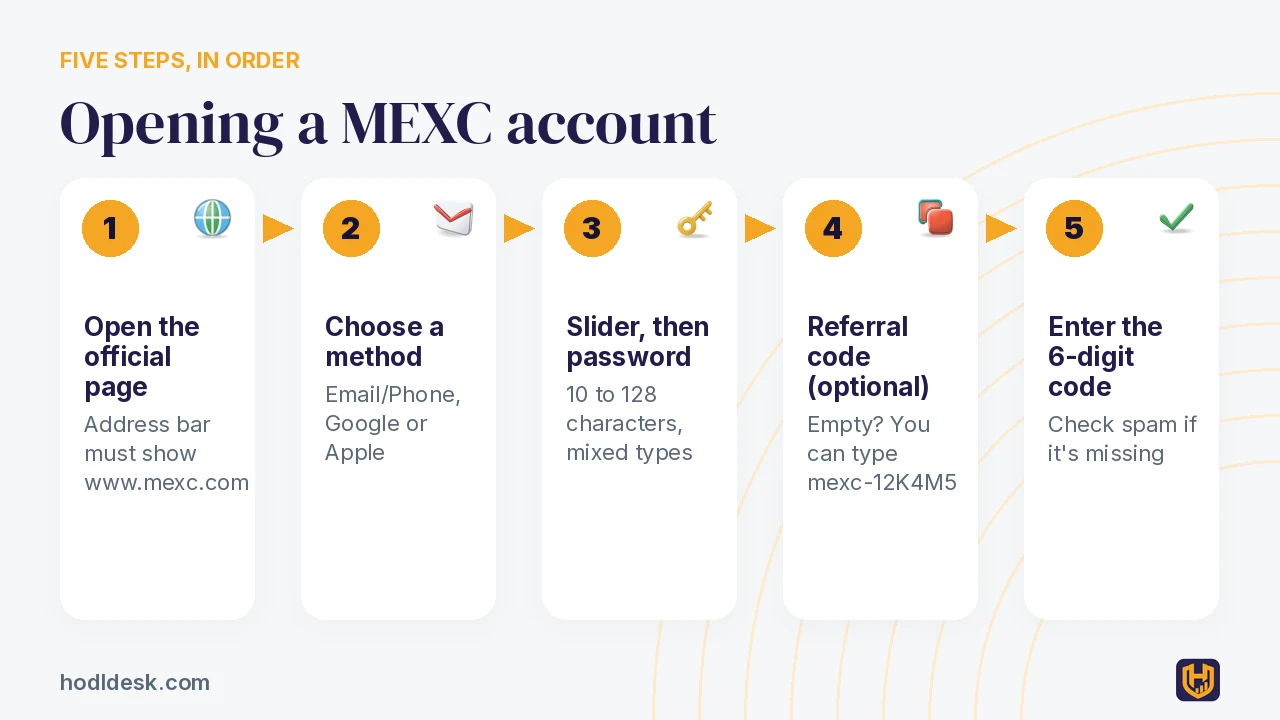
- Open the official sign-up page. Go to www.mexc.com and click Sign Up, or open MEXC sign-up with code 12K4M5 (it redirects to www.mexc.com/register). Check the address bar before you type a password.
- Choose a sign-up method. Pick Continue with Email/Phone, Google or Apple. For email or phone, type it into the single email/phone field.
- Pass the slider check and set a password. Drag the slider, then set 10 to 128 characters with upper and lower case letters, a number and a symbol.
- Add a referral code if you want one. The field is optional. Our link fills in mexc-12K4M5; if it’s empty, you can type mexc-12K4M5.
- Enter the 6-digit code and confirm. Tick the agreement box if shown, type the code MEXC sends and click Confirm.
How do you sign up on MEXC with email?
Choose Continue with Email/Phone, enter your address and continue. MEXC’s Learn guide says “your first login counts as your sign-up,” so one form serves new and returning users. In other words, an existing address simply logs you in. Next, drag the slider and set your password. Then optionally fill the referral field, tick the agreement box if shown and click Sign Up. As a result, MEXC emails a 6-digit code, which you type to confirm. When I checked the live register page on November 26, 2026, I found buttons for Continue with Google, Continue with Apple and Continue with Email/Phone, plus a More Options link. Below them sat one input for “your email/phone number” and the “Referral Code (Optional)” field.
What password does MEXC accept?
At least 10 and up to 128 characters, with upper and lower case letters, numbers and symbols, per MEXC’s November 2026 Learn guide. However, MEXC’s October 2026 Learn security article recommends “longer than eight characters”. So if pages differ, follow the rule the form shows you.
Where does the referral code go?
Referral Code (Optional) is the single field on MEXC’s form that links a new account to whoever referred it. Specifically, on the website you open it during sign-up; in the app you tap the small arrow. There’s no separate promo field (see our MEXC promo code guide). Open our link and it already reads mexc-12K4M5, our code 12K4M5 in MEXC’s format, as our MEXC referral code guide explains.
Can you sign up on MEXC with a phone number, Google or Apple?
Yes. MEXC’s guides list a mobile number as an alternative to email, and the live register page shows Google and Apple buttons. However, Telegram and MetaMask aren’t shown as buttons; there’s a More Options link, and MEXC’s November 2026 guide lists both.
| Method | What you do | Watch out for |
|---|---|---|
| Email, slider, password, 6-digit email code | Check spam and trash for the code | |
| Phone | Type your number in the email/phone field, then the same slider and password | Guides use email as the example; follow the prompts you see |
| Google or Apple | Approve the login, choose new account, verify by email code | Each links to one MEXC account |
| Telegram or MetaMask | Listed in MEXC’s guide; look under More Options | Sign wallet requests only in the real extension |
What should you secure right after signing up on MEXC?
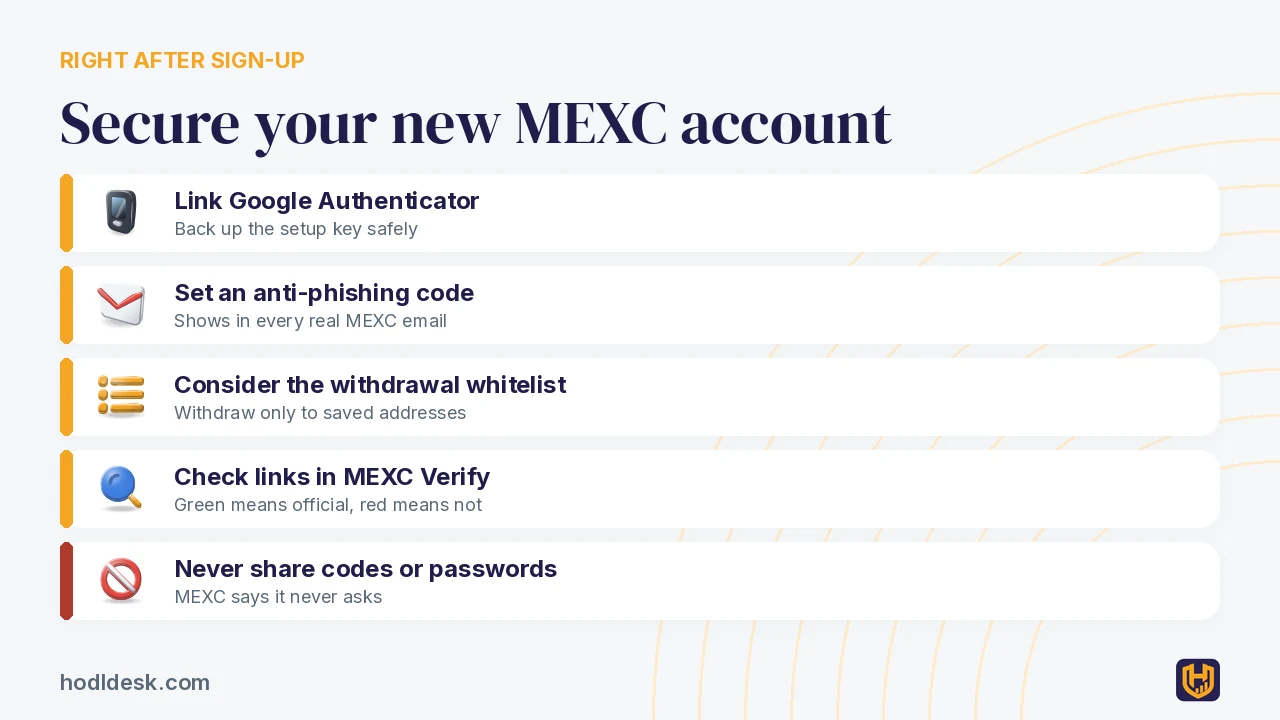
Before you deposit, link an authenticator app, set an anti-phishing code and consider the withdrawal whitelist. Two-factor authentication is a second check on top of your password, here a 6-digit code from an authenticator app that changes every 30 seconds. Specifically, MEXC recommends Google Authenticator; email or mobile codes are other options. In fact, the FTC notes that “Multi-factor authentication makes it harder for scammers to log in to your accounts”. On the web, open Security from the user icon and enable MEXC/Google Authentication. Then scan the QR code and enter both the emailed code and the 6-digit app code. Notably, MEXC says “Be sure to back up the key in a secure location,” since a new phone needs it.
What is a MEXC anti-phishing code?
An anti-phishing code is a short word you choose that MEXC shows in every official email it sends you. Therefore, an email without it isn’t from MEXC. On the web, go to Security, then Advanced Security settings, Anti-Phishing Code, Set Up. In the app, tap the profile icon, Security, Anti-Phishing Code. When I opened MEXC’s anti-phishing guide on November 26, 2026, I found it allows 1 to 6 alphanumeric characters and warns against reusing a password you commonly use. Meanwhile, the withdrawal whitelist is a list of saved addresses. Once it’s on, MEXC says “you can only withdraw to addresses on the whitelist”. In addition, MEXC’s Six Methods article warns that after a password change you can’t withdraw for 24 hours.
What can you do on MEXC before KYC?
You can open the account without ID; what else works depends on your region. KYC (Know Your Customer) is MEXC’s identity check. MEXC’s sign-up guide says “KYC comes after sign-up, though MEXC requires verification to use its products and services”. However, its KYC FAQ warns that skipping it “may affect your access to certain services, such as deposits, withdrawals, and trading”. Similarly, its Learn KYC guide says restrictions apply “depending on the region”. Therefore, plan to verify before you move real money. For example, Primary KYC needs one ID document and allows 80 BTC of crypto withdrawals per 24 hours. Advanced KYC adds a facial recognition selfie and allows up to 200 BTC. Our upcoming KYC guide covers documents and review times.
Why isn’t MEXC sign-up working?
Four snags come up: a missing code, an address in use, a blocked region and a forgotten code.
What if the code doesn’t arrive or the account already exists?
For a missing code, for example, check inbox, spam and trash, then use the “Haven’t received verification code?” link. If the slider check fails, retry, or reload and start over. “Already exists” means your email, number or third-party login is tied to a MEXC account. In that case, log in, or reset the password from the login page. For an already-linked third-party login, MEXC says to use it or pick another method. That said, don’t open extra accounts to dodge it, because the two-account limit still applies.
What if your region isn’t supported or you forgot the referral code?
For a region error, MEXC’s sign-up guide points you to the Prohibited Jurisdiction clause of its User Agreement. If your country is listed, MEXC isn’t for you. By contrast, a forgotten referral code is easier to fix. MEXC offers self-service linking for a limited window, main accounts only, and the link is permanent. However, MEXC pages disagree on the window, so read our referral code guide first.
Is there a bonus for signing up on MEXC?
The register page headline reads “Sign up to claim up to $10,000”. However, that’s a ceiling across tasks, not a sign-up payment. Our MEXC sign up bonus guide covers the tasks, the 15-day futures-bonus expiry and what you can withdraw.
Our verdict on MEXC sign-up
Signing up is quick. Before depositing, check your country, read the FinCEN news and turn on 2FA.
How we checked: every step comes from MEXC, US Treasury and FTC pages opened November 26, 2026. Lucía Ferrer re-checks the numbers under our editorial policy. Read about HodlDesk, our risk disclaimer, or the Getting Started hub.
Watch: How to MEXC Sign Up in 2026: Beginner Walkthrough with Code 12K4M5
FAQ
How do you sign up on MEXC?
Open www.mexc.com or the official app, choose a method, pass the slider, set a 10-character-plus password and enter the 6-digit code.
How do I sign up on MEXC with email?
Choose Continue with Email/Phone, enter your address, complete the slider, set your password and click Sign Up. Then type the 6-digit code MEXC emails you and click Confirm.
Can I sign up on MEXC with a phone number?
Yes. Type your number into the email/phone field; the slider and password rules are the same.
Do I need KYC to sign up on MEXC?
No. MEXC’s guide says KYC comes after sign-up, but MEXC requires verification to use its products and services, and skipping it may affect deposits, withdrawals and trading depending on your region.
What are the MEXC password requirements?
At least 10 characters, including uppercase and lowercase letters, numbers and symbols, up to 128 characters on the web form.
Why didn’t I get the MEXC verification code?
Check inbox, spam and trash, confirm the address, then use the resend option.
Is a referral code required to sign up on MEXC?
No. The field is labelled Referral Code (Optional). If you use our code 12K4M5, the field shows it as mexc-12K4M5.
How many MEXC accounts can I have?
MEXC’s User Agreement allows a maximum of two accounts at the same time.
How do I know a MEXC link is official?
Type www.mexc.com yourself, or check it in MEXC Verify. Green means official.

Rafael Moreno, Founder & Lead Writer
Rafael Moreno spent seven years as a payments and treasury analyst at a fintech, working on FX, settlement and stablecoin rails. He has held crypto since 2017 and used MEXC since 2022. He writes plain-English MEXC guides and reads the fine print first.

Fact-checked by Lucía Ferrer, Research & Fact-Check Editor. Every number is checked against MEXC’s own pages. Our editorial policy